New Business Email Address: Professional Setup Guide 2026
April 07, 2026

Establishing a new business email address represents one of the most fundamental yet impactful decisions small business owners make when building their professional presence. Whether you're launching a startup, rebranding an existing venture, or simply recognising the limitations of personal email accounts for business communications, creating a dedicated business email address sets the foundation for credibility, trust, and long-term growth. For small businesses in particular, this simple step can dramatically influence how customers, partners, and stakeholders perceive your organisation in an increasingly competitive digital landscape.
Why Your Business Needs a Dedicated Email Address
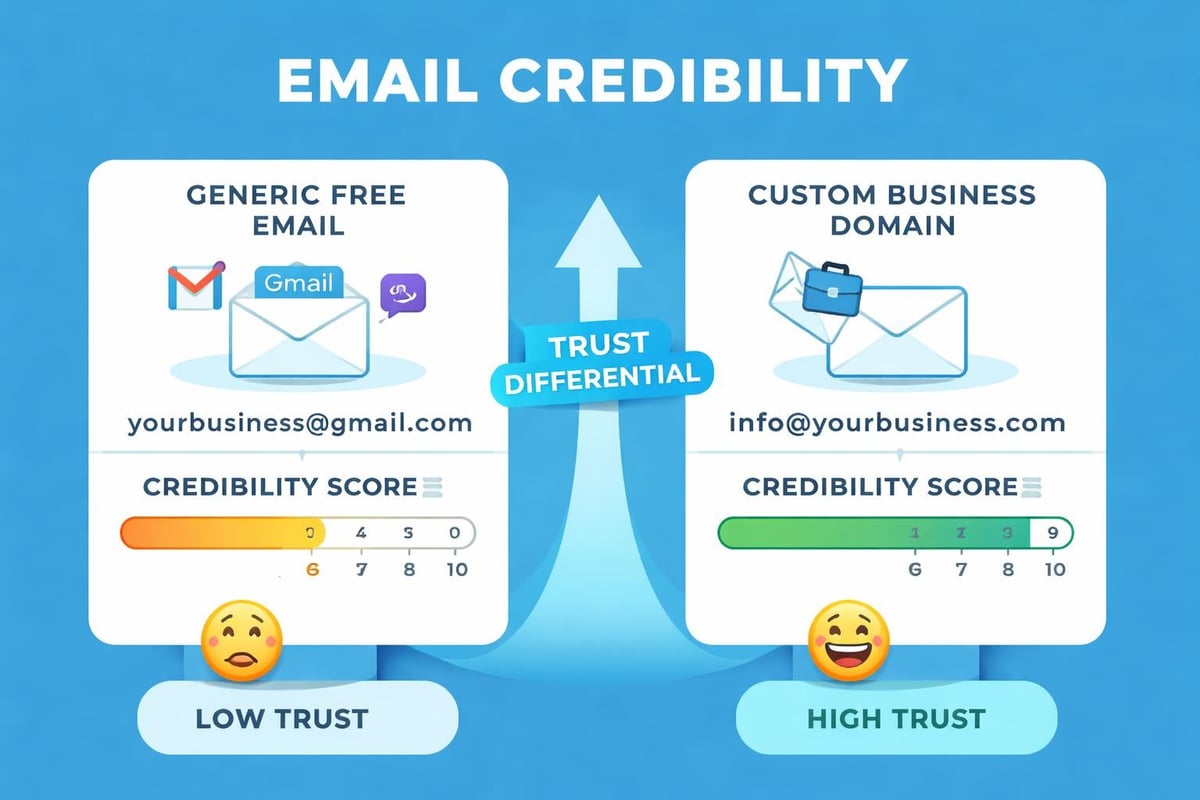
The difference between communicating from yourname@gmail.com and yourname@yourbusiness.co.uk extends far beyond the domain name. A new business email address signals professionalism and legitimacy in ways that free email services simply cannot match.
Research consistently demonstrates that customers trust businesses with professional email addresses significantly more than those using generic providers. When you send proposals, invoices, or marketing communications from a branded email address, you're reinforcing your company identity with every interaction. Professional email addresses boost credibility and create immediate recognition in crowded inboxes.
Building Trust Through Professional Communication
Trust factors influenced by your email address:
- Brand consistency across all customer touchpoints
- Protection against impersonation and fraud
- Enhanced data security and privacy controls
- Improved email deliverability rates
- Professional appearance in all correspondence
Small businesses often underestimate how quickly customers form judgements based on communication channels. A new business email address demonstrates you've invested in your business infrastructure and take your operations seriously.
Choosing the Right Email Address Format
Creating your new business email address requires strategic thinking about both functionality and brand representation. The format you choose will serve your business for years to come, so careful consideration pays dividends.
Standard Email Address Structures
| Purpose | Format | Best For |
|---|---|---|
| General Enquiries | info@yourbusiness.co.uk | First point of contact |
| Sales Communications | sales@yourbusiness.co.uk | Lead generation and conversion |
| Customer Support | support@yourbusiness.co.uk | Service and technical assistance |
| Personal Communication | firstname@yourbusiness.co.uk | Individual team members |
| Department-Specific | marketing@yourbusiness.co.uk | Functional teams |
The structure you select should balance professionalism with practicality. For solo entrepreneurs, firstname@yourbusiness.co.uk offers a personal touch whilst maintaining professional boundaries. Larger teams benefit from department-based addresses that distribute enquiries efficiently.
When establishing a professional email address, consider how your business might grow. An email structure that works for three people may become unwieldy at thirty. Planning for scalability prevents costly migrations later.
Avoiding Common Email Address Mistakes
Many businesses create addresses that seem logical initially but create problems over time. Overly long addresses reduce memorability and increase typing errors. Using numbers or special characters confuses customers and appears unprofessional.
Email address pitfalls to avoid:
- Multiple dots or hyphens that complicate spelling
- Unclear abbreviations that confuse recipients
- Year-specific addresses that become outdated
- Overly casual language inappropriate for business
- Generic terms that lack brand connection
Technical Setup for Your New Business Email Address
Establishing a new business email address involves several technical components that work together to ensure reliable, secure communications. Understanding these elements helps small business owners make informed decisions about their email infrastructure.
The foundation begins with domain registration. Your domain name becomes the distinctive element after the @ symbol, making it crucial for brand identity. Once secured, you'll configure DNS records to direct email traffic properly.
Essential DNS Configuration Steps
Key DNS records for email functionality:
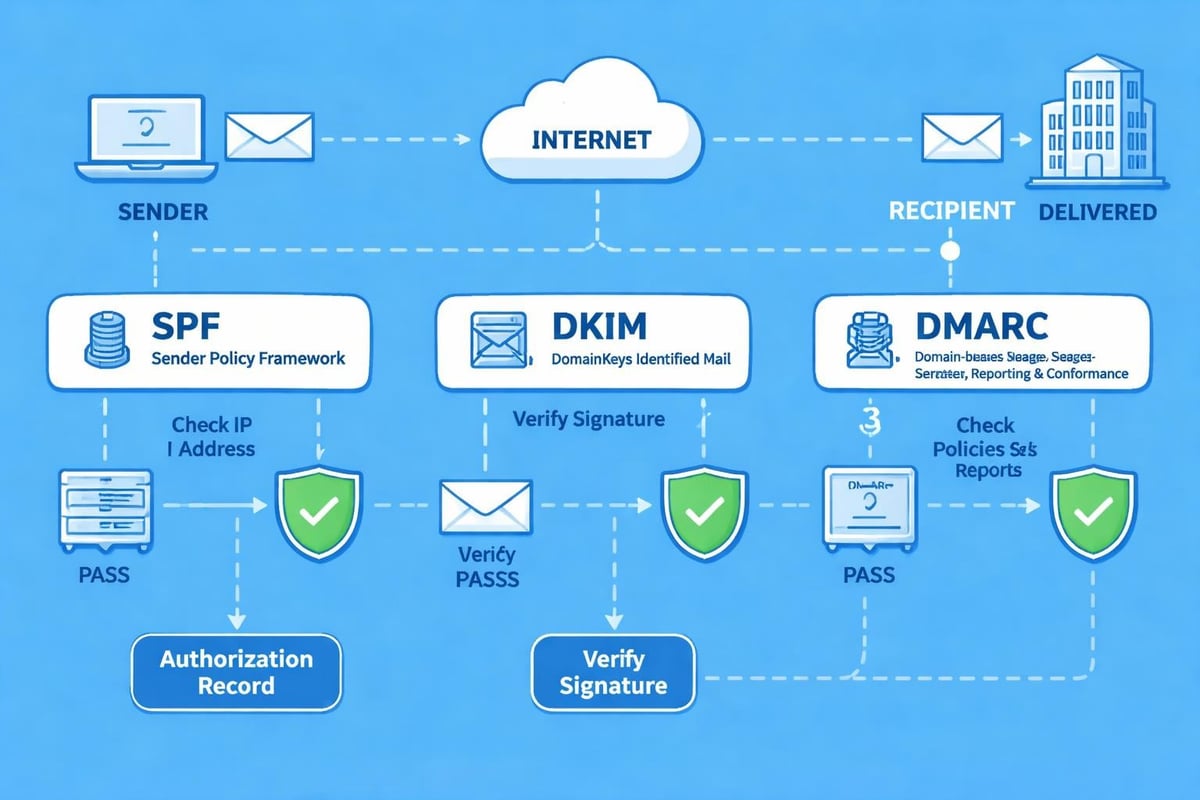
- MX Records: Direct incoming email to your mail servers
- SPF Records: Specify authorised sending servers
- DKIM Records: Add digital signatures for authentication
- DMARC Records: Define policies for handling failed authentication
These technical configurations might seem daunting, but establishing credibility through proper email setup protects your reputation and ensures deliverability. Most email service providers offer guided setup processes that simplify these technical requirements.
Selecting an Email Hosting Provider
Your choice of email hosting significantly impacts functionality, security, and user experience. Small businesses typically choose between three main options: traditional web hosting with email, dedicated email providers, or comprehensive email marketing platforms like Astonish Email that combine communication and marketing capabilities.
| Feature | Web Host Email | Dedicated Provider | Marketing Platform |
|---|---|---|---|
| Storage | Limited | Generous | Varies |
| Marketing Tools | None | Basic | Advanced |
| Support | Basic | Comprehensive | Specialised |
| Cost | Low | Moderate | Value-based |
| Integration | Limited | Good | Excellent |
When you need a business email for small business operations, consider how email fits into your broader communication strategy. Marketing platforms offer distinct advantages for businesses that regularly communicate with customers, combining transactional email with campaign management.
Creating Multiple Email Addresses for Business Functions
As your business grows, a single new business email address quickly becomes insufficient for managing different communication streams. Strategic creation of multiple addresses improves organisation, professionalism, and response efficiency.
Department-specific addresses allow you to route enquiries appropriately without overwhelming individual team members. When customers contact sales@yourbusiness.co.uk, they receive sales-focused responses from qualified team members. Support enquiries directed to support@yourbusiness.co.uk reach technical specialists.
Implementing Role-Based Email Addresses
Role-based addresses provide consistency even as staff members change. When Sarah handles customer service today but moves to a different role next year, support@yourbusiness.co.uk remains constant for customers.
Recommended role-based addresses:
- accounts@yourbusiness.co.uk for financial communications
- press@yourbusiness.co.uk for media enquiries
- careers@yourbusiness.co.uk for recruitment
- hello@yourbusiness.co.uk for friendly, approachable contact
This approach supports business continuity whilst maintaining professional communication standards. The importance of professional email addresses extends beyond individual interactions to systematic business operations.
Security Considerations for Business Email Addresses
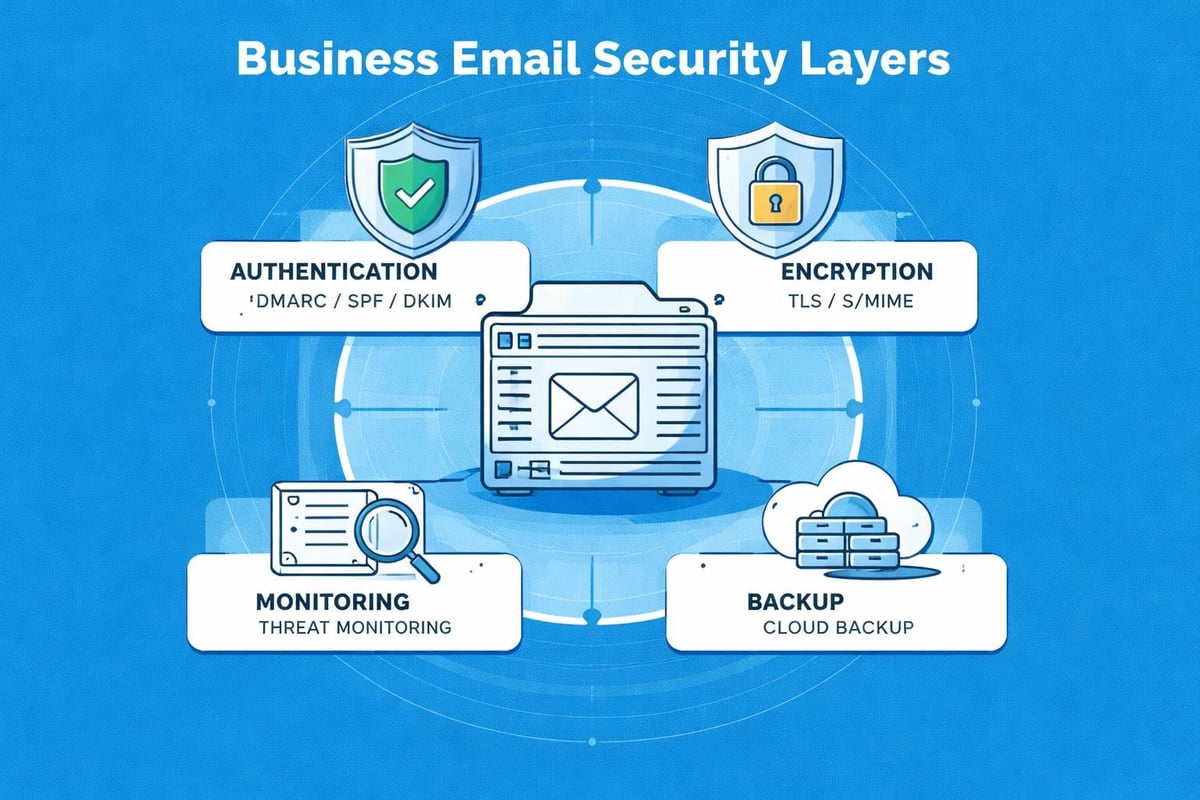
A new business email address requires robust security measures to protect sensitive information and maintain customer trust. Email remains a primary vector for cyber attacks, making security protocols essential rather than optional.
Two-factor authentication adds critical protection by requiring a secondary verification method beyond passwords. Even if credentials are compromised, unauthorised access becomes significantly more difficult.
Essential Security Measures
Protecting your business email:
- Enforce strong password policies across all accounts
- Enable two-factor authentication universally
- Regular security audits and access reviews
- Employee training on phishing recognition
- Encrypted connections for all email transmission
- Automated backup systems for email data
Small businesses often assume they're too small to attract cyber criminals, but automated attacks target vulnerabilities regardless of company size. Implementing security measures when you establish your new business email address costs far less than recovering from a breach.
Integrating Email Addresses with Marketing Operations
For small businesses, email addresses serve dual purposes: direct communication channels and marketing infrastructure. A new business email address becomes more valuable when integrated with broader marketing strategies.
When setting up email marketing for small businesses, consistency between sender addresses and brand identity strengthens recognition and trust. Customers who receive invoices from accounts@yourbusiness.co.uk and newsletters from marketing@yourbusiness.co.uk develop familiarity with your domain.
Aligning Email Infrastructure with Marketing Goals
Marketing success depends partly on technical factors like sender reputation and domain authority. These metrics develop over time as you consistently send legitimate, valuable communications from your business domain.
Email marketing integration benefits:
- Unified brand experience across all communications
- Improved deliverability through established sender reputation
- Simplified customer journey tracking
- Enhanced analytics and attribution
- Professional appearance in promotional campaigns
Platforms designed for small business email marketing understand these integration requirements and build functionality accordingly. When evaluating options for your new business email address, consider how communications support broader business objectives beyond simple message exchange.
Managing Email Addresses as Your Business Scales
Growth brings new communication challenges that require thoughtful email management strategies. What works for a solo entrepreneur often breaks down when managing a team of ten or twenty people.
Establishing clear policies for email creation, usage, and retirement prevents chaos as headcount increases. Documenting who can create new addresses, what naming conventions to follow, and how to handle departing employees creates consistency and security.
Email Governance Best Practices
| Challenge | Solution | Implementation |
|---|---|---|
| Uncontrolled creation | Approval process | Designated administrator |
| Inconsistent naming | Standard formats | Written guidelines |
| Abandoned addresses | Regular audits | Quarterly reviews |
| Access management | Centralised control | Single platform |
| Knowledge retention | Shared inboxes | Team access systems |
As you set up a business email system, plan for expansion even if growth seems distant. Migration between systems creates disruption and risks communication gaps during transitions.
Brand Consistency Through Email Communications
Every message sent from your new business email address represents your brand to the world. Consistency in tone, formatting, and presentation strengthens brand recognition and professionalism.
Email signatures provide an often-overlooked opportunity for brand reinforcement. A well-designed signature includes essential contact information whilst reflecting your visual identity through colours, logos, and typography.
Creating Professional Email Signatures
Essential signature elements:
- Full name and job title for clarity
- Direct phone number for accessibility
- Company website link for information
- Social media links for engagement
- Legal disclaimers when required
- Brand-consistent formatting and colours
When every team member uses a standardised signature, customers receive consistent branding regardless of who responds. This uniformity enhances professionalism and builds brand equity through repeated exposure.
Building trust through professional email addresses extends beyond the address itself to encompass the entire email experience customers receive.
Cost Considerations for Business Email Services
Budgeting for a new business email address requires understanding both direct costs and long-term value. Whilst free email services appear economical initially, they lack features and professionalism that support business growth.
Professional email services typically charge per mailbox monthly or annually. Pricing structures vary considerably based on storage limits, features, and support levels.
Comparing Email Service Costs
| Service Type | Typical Cost | Features Included |
|---|---|---|
| Basic Hosting | £2-5/month | Limited storage, basic support |
| Professional Provider | £4-8/month | Generous storage, security features |
| Enterprise Solutions | £10-20/month | Advanced features, priority support |
| Marketing Platforms | Variable | Email + marketing tools |
When evaluating costs, consider the total value beyond basic email functionality. Services that integrate email with customer relationship management, marketing automation, or analytics provide compounded value that justifies higher investment.
The benefits of professional email include improved deliverability, enhanced security, and better customer perception. These advantages translate into tangible business outcomes that offset service costs.
Migration Strategies for Existing Businesses
Businesses transitioning from personal to professional email addresses face unique challenges around continuity and communication. A poorly executed migration confuses customers and risks lost messages during the transition period.
Successful migrations balance speed with thoroughness. Rushing creates errors, whilst excessive delays prolong the confusion of operating dual systems simultaneously.
Planning Your Email Migration
Critical migration steps:
- Set up new business email infrastructure completely
- Test thoroughly before announcing changes
- Configure forwarding from old to new addresses
- Update all business materials with new contact details
- Communicate changes to customers, suppliers, and partners
- Maintain old addresses temporarily during transition
- Monitor both systems to ensure no messages are missed
- Gradually phase out old addresses over defined timeline
Plan for a transition period of at least three to six months where both old and new addresses remain active. This buffer prevents lost communications whilst stakeholders update their records.
Monitoring Email Performance and Deliverability
Establishing a new business email address creates ongoing responsibilities for monitoring and maintenance. Email performance directly impacts business communications effectiveness, making regular oversight essential.
Deliverability rates indicate what percentage of sent messages successfully reach recipient inboxes versus spam folders. Poor deliverability undermines all communication efforts, regardless of message quality.
Key Email Metrics to Track
Performance indicators:
- Delivery rate and bounce analysis
- Spam complaint frequency
- Sender reputation scores
- Open and response rates
- Authentication pass rates
- Storage utilisation trends
Regular monitoring allows early detection of problems before they escalate into serious deliverability issues. When bounce rates suddenly increase or spam complaints spike, immediate investigation prevents damage to sender reputation.
Professional email platforms provide analytics dashboards that simplify performance monitoring. Understanding why businesses need professional email addresses includes recognising the technical infrastructure supporting reliable communications.
Compliance and Legal Requirements
Business email communications face regulatory requirements that vary by industry and geography. A new business email address must comply with relevant legislation to avoid penalties and maintain customer trust.
Data protection regulations like GDPR impose strict requirements on how businesses collect, store, and process email addresses and communications. Non-compliance carries significant financial and reputational consequences.
Email Compliance Essentials
Regulatory requirements:
- Obtaining proper consent for marketing communications
- Providing clear unsubscribe mechanisms
- Maintaining accurate records of permissions
- Implementing appropriate data security measures
- Respecting communication preferences
- Retaining emails according to legal requirements
Industry-specific regulations may impose additional requirements. Financial services, healthcare, and legal sectors face particularly stringent email retention and security mandates.
When selecting email infrastructure, verify that providers support compliance requirements relevant to your business. Features like automated retention policies, audit trails, and encryption capabilities facilitate regulatory adherence.
Training Teams on Professional Email Usage
Technical infrastructure alone doesn't ensure effective business communications. Team members require guidance on professional email etiquette, security practices, and company communication standards.
Comprehensive training when introducing a new business email address establishes expectations and prevents common mistakes that damage professional reputation.
Email Training Programme Components
| Topic Area | Key Points | Frequency |
|---|---|---|
| Professional Writing | Tone, grammar, formatting | Initial + annual |
| Security Awareness | Phishing, password hygiene | Quarterly |
| Brand Guidelines | Signatures, templates | Initial + updates |
| Response Standards | Timing, escalation | Initial + annual |
| Legal Compliance | Regulations, retention | Annual |
Regular refresher training reinforces standards as team members develop habits and new employees join. Creating email templates for common scenarios helps maintain consistency whilst improving efficiency.
Creating professional email communications involves both technical setup and human factors that together determine communication effectiveness.
Establishing a new business email address represents far more than a technical task on your startup checklist. It's a foundational decision that influences customer perception, operational efficiency, and long-term scalability for years to come. By implementing professional email infrastructure with strategic planning, robust security, and integration with broader business systems, small businesses position themselves for sustainable growth and enhanced credibility. Astonish Email provides the email marketing platform designed specifically for small businesses, combining professional email capabilities with powerful marketing tools that help you maximise the value of every customer communication.