How to Get a Business Email Address in 2026
April 05, 2026
When you're running a small business, every touchpoint with customers matters. Your email address is often the first impression potential clients receive, and using a free service like Gmail or Yahoo can undermine your credibility before you've even started the conversation. Learning how to get a business email address is a fundamental step in establishing professionalism and building trust with your audience. This guide will walk you through everything you need to know about selecting, setting up, and managing a professional business email address that reinforces your brand identity.
Why Your Business Email Address Matters More Than You Think
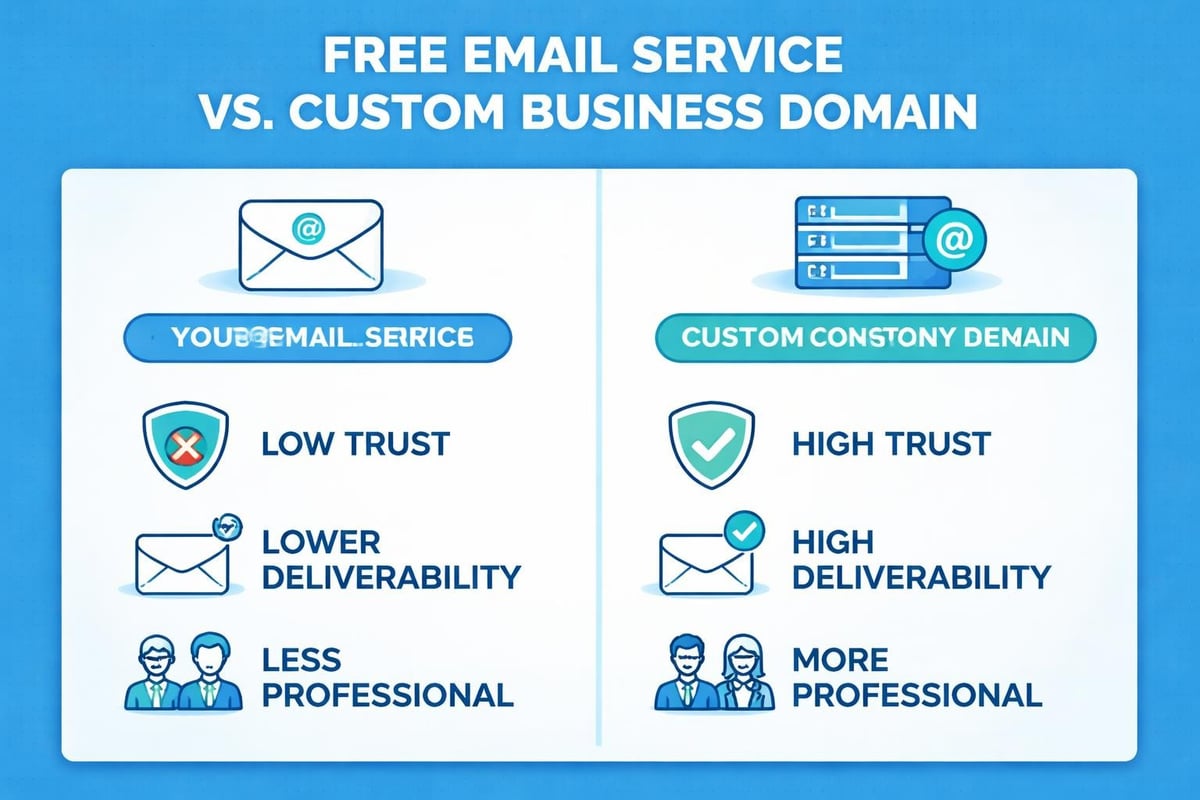
First impressions count, and professional email communication directly impacts how potential customers perceive your brand. When someone receives an email from john.smith@yourcompany.com instead of johnsmith1985@gmail.com, they immediately recognise they're dealing with an established business rather than a hobbyist or potential scammer.
Brand consistency across all customer touchpoints strengthens recognition and recall. Your email address becomes a marketing asset that reinforces your business name with every message sent. When you get a business email address that matches your website domain, you create a cohesive professional identity.
Trust and Credibility Benefits
Studies consistently show that consumers are more likely to engage with businesses that use professional email addresses. The perception of legitimacy increases dramatically when your contact details reflect a dedicated domain.
- Enhanced deliverability: Business emails face fewer spam filters than free alternatives
- Security advantages: Professional providers offer better protection against phishing and malware
- Legal compliance: Many industries require professional communication channels for regulatory purposes
- Customer confidence: Clients feel more secure sharing sensitive information with branded addresses
The importance of using a professional email extends beyond appearances. It affects measurable business outcomes including conversion rates, email open rates, and overall customer retention.
Understanding Your Business Email Options
Before you get a business email address, you'll need to understand the different approaches available. Each option offers distinct advantages depending on your budget, technical expertise, and business requirements.
Web Hosting Email Packages
Most web hosting providers include email hosting as part of their standard packages. This bundled approach simplifies management by keeping your website and email under one roof.
| Feature | Advantages | Considerations |
|---|---|---|
| Cost | Often included with hosting | Limited storage capacity |
| Setup | Integrated with domain | Basic features only |
| Support | Single point of contact | Quality varies by provider |
| Scalability | Easy to add addresses | May require plan upgrades |
Dedicated Email Hosting Services
Specialist email providers focus exclusively on email functionality, offering advanced features and reliability. These services typically provide superior uptime, security, and collaboration tools.
Popular dedicated email hosting services include:
- Microsoft 365 (formerly Office 365) with Outlook integration
- Google Workspace with Gmail interface
- Zoho Mail for budget-conscious businesses
- ProtonMail for privacy-focused organisations
When you set up a business email through dedicated providers, you gain access to professional-grade infrastructure without maintaining servers yourself.
Custom Domain Email Solutions
This approach gives you complete control over your email infrastructure. You'll need technical knowledge or IT support, but it offers maximum flexibility and data sovereignty.
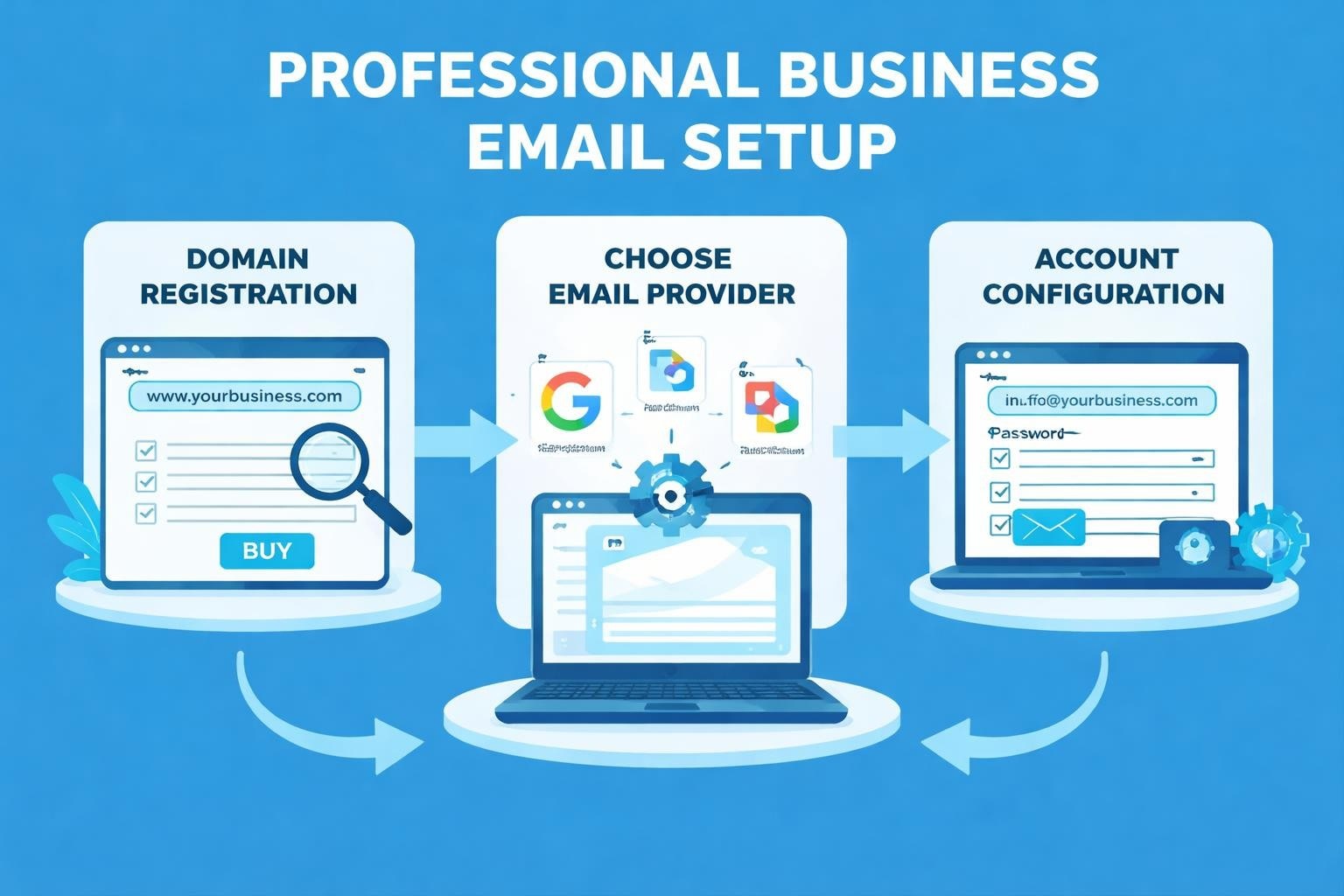
Step-by-Step: How to Get a Business Email Address
The process to get a business email address involves several key decisions and technical steps. Breaking this down into manageable stages ensures you don't miss critical elements.
Step 1: Choose and Register Your Domain Name
Your domain name forms the foundation of your business email address. It should reflect your business name, be easy to spell, and ideally use a .com, .co.uk, or industry-specific extension.
Domain selection considerations:
- Keep it short and memorable (under 15 characters when possible)
- Avoid numbers and hyphens that confuse verbal communication
- Check trademark availability to prevent legal issues
- Consider purchasing common misspellings to protect your brand
The Australian Government's guide on business email provides excellent advice on domain selection and registration processes.
Step 2: Select Your Email Hosting Provider
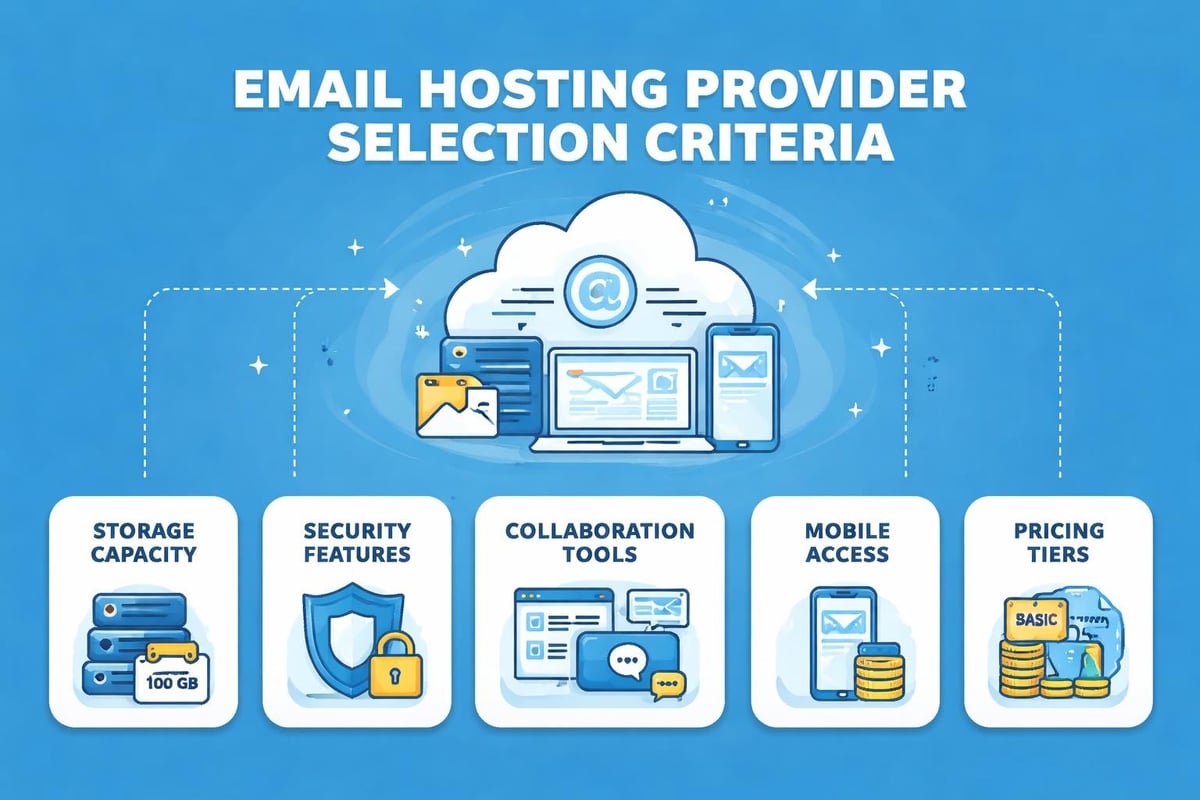
Research providers based on your specific business needs. Don't simply choose the cheapest option without considering storage limits, security features, and customer support quality.
| Provider Type | Best For | Monthly Cost Range |
|---|---|---|
| Web Host Bundle | Startups with basic needs | £3-10 per user |
| Google Workspace | Collaboration-focused teams | £4-15 per user |
| Microsoft 365 | Office suite integration | £4-18 per user |
| Specialist Providers | Specific industry requirements | £2-12 per user |
When evaluating options to get professional email address services, prioritise reliability over features you won't use.
Step 3: Configure Your Email Accounts
Once you've selected a provider, you'll need to create individual email addresses for your team. Establish a naming convention before creating accounts to maintain consistency.
Common naming structures include:
- firstname@company.com (most professional for small teams)
- firstname.lastname@company.com (necessary for larger organisations)
- role@company.com (info@, sales@, support@)
Setting up departmental addresses alongside personal ones ensures customers can reach the right team regardless of individual availability.
Step 4: Set Up Email Forwarding and Aliases
Email aliases allow multiple addresses to deliver to the same inbox, reducing the number of accounts you need to monitor. This proves particularly valuable for role-based addresses.
For instance, enquiries@, info@, and contact@ could all forward to your primary business email, ensuring no customer message goes unanswered. Understanding how to create professional email address structures includes planning these forwarding rules from the start.
Essential Configuration Settings You Can't Ignore
After you get a business email address, proper configuration protects your deliverability and security. These technical settings may seem complex, but they're crucial for professional email operation.
DNS Records: SPF, DKIM, and DMARC
These authentication protocols verify that emails sent from your domain are legitimate, preventing spoofing and improving deliverability.
- SPF (Sender Policy Framework): Specifies which mail servers can send email on your behalf
- DKIM (DomainKeys Identified Mail): Adds a digital signature to verify message authenticity
- DMARC (Domain-based Message Authentication): Tells receiving servers how to handle failed authentication
Most email providers supply the exact DNS records you need. Simply copy these into your domain registrar's DNS settings. The process typically takes 24-48 hours to propagate globally.
Mobile Device Setup
Your business email should be accessible across all devices. Modern providers offer detailed guides for configuring email clients on smartphones and tablets.
Mobile configuration checklist:
- Download your provider's mobile app or configure native email client
- Enable two-factor authentication for security
- Set up push notifications for urgent messages
- Configure out-of-office responses for mobile management
- Test sending and receiving before relying on mobile access
Signature and Branding Elements
A professional email signature reinforces your brand with every message. Include your full name, job title, company name, phone number, and website URL as minimum elements.
Many small businesses overlook this opportunity to reinforce their professional email address with consistent branding elements like logos and social media links.
Managing Multiple Business Email Addresses
As your business grows, you'll likely need several email addresses for different purposes. Effective management prevents important messages from being overlooked in cluttered inboxes.
Role-Based Email Strategy
Creating role-based addresses separates different business functions and ensures continuity when team members change.
| Email Type | Purpose | Example |
|---|---|---|
| Sales | Customer acquisition | sales@yourcompany.com |
| Support | Customer service | support@yourcompany.com |
| Info | General enquiries | info@yourcompany.com |
| Billing | Financial matters | billing@yourcompany.com |
| HR | Recruitment | careers@yourcompany.com |
This structured approach to business email for small business operations creates clear communication channels that customers understand intuitively.
Shared Mailbox Solutions
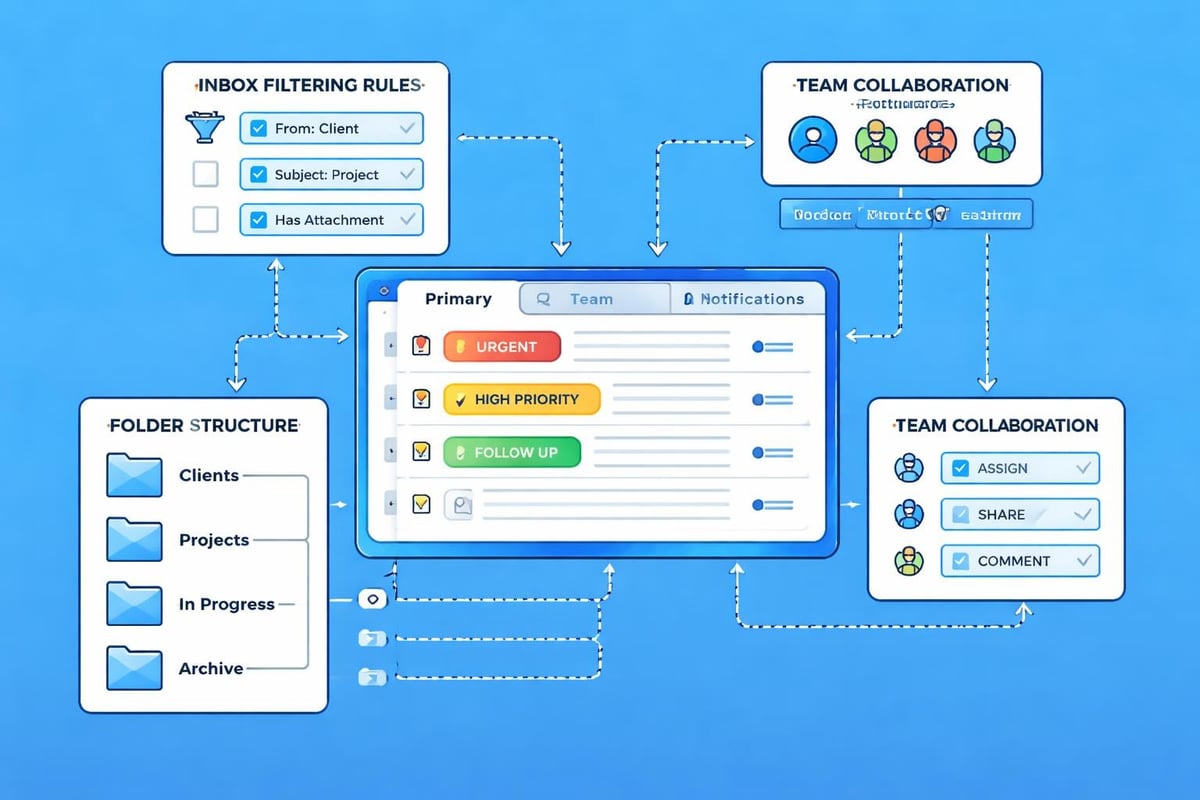
Shared mailboxes allow multiple team members to access the same email address without sharing passwords. This proves essential for customer service teams, where multiple people need to respond to incoming enquiries.
Modern email systems track which team member handled each message, preventing duplicate responses and ensuring accountability. When you get a business email address through providers like Google Workspace or Microsoft 365, shared mailbox functionality comes standard.
Integration With Your Marketing Efforts
Your business email address shouldn't exist in isolation from your broader marketing strategy. Email marketing platforms work more effectively when sending from your custom domain rather than the platform's generic address.
Platforms like Astonish Email allow you to send marketing campaigns from your business domain, significantly improving deliverability and brand recognition. Recipients trust emails from recognisable business domains far more than generic mailing addresses.
Deliverability Considerations
When you get a business email address and start using it for marketing, you must warm up the domain gradually. Sending thousands of emails immediately from a new domain triggers spam filters and damages your sender reputation.
Domain warming best practices:
- Start with small batches to engaged subscribers
- Gradually increase sending volume over 4-6 weeks
- Monitor bounce rates and spam complaints
- Maintain consistent sending patterns
- Authenticate all messages with proper DNS records
The best practices for professional email setup emphasise these gradual scaling approaches to protect your domain reputation.
Security Best Practices for Business Email
Cybersecurity threats increasingly target small businesses through email vulnerabilities. Implementing strong security measures when you get a business email address protects both your business and customer data.
Password Management
Weak passwords represent the most common security vulnerability. Require all team members to use unique, complex passwords for email accounts, and consider implementing a password manager across your organisation.
Password security requirements:
- Minimum 12 characters combining letters, numbers, and symbols
- No reuse of passwords across different services
- Regular password updates (every 90 days)
- Two-factor authentication enabled for all accounts
- Immediate password changes when team members leave
Phishing Protection
Train your team to recognise phishing attempts that target business email addresses. Even sophisticated staff can fall victim to well-crafted phishing emails, making ongoing education essential.
Enable advanced threat protection features offered by most business email providers. These services scan attachments and links for malicious content before they reach user inboxes.
Cost Considerations When You Get a Business Email Address
Budget constraints affect every small business decision, including email services. Understanding the true cost helps you make informed choices without compromising essential features.
Initial Setup Costs
Beyond monthly subscription fees, consider one-time expenses:
- Domain registration (£10-30 annually)
- Email migration services if switching providers (£50-200)
- Professional setup assistance (£100-500 for technical configuration)
- Additional storage upgrades (varies by provider)
Ongoing Expenses
Monthly or annual subscription costs vary based on features and user count. Most providers offer discounts for annual payments rather than monthly billing.
| Cost Factor | Budget Option | Premium Option |
|---|---|---|
| Per user/month | £2-5 | £10-20 |
| Storage per user | 10-30 GB | 50 GB - 1 TB |
| Support level | Email only | Phone + priority |
| Advanced features | Basic | Full collaboration suite |
When you get a business email address, starting with basic features and upgrading as needed proves more cost-effective than paying for unused functionality from day one.
Common Mistakes to Avoid
Many small businesses stumble when setting up professional email systems. Learning from common errors saves time, money, and reputation damage.
Using Inconsistent Email Formats
Establish clear naming conventions before creating accounts. Mixing formats like j.smith@company.com and john.s@company.com across your team looks unprofessional and confuses customers.
Neglecting Backup Solutions
Email contains critical business information. Ensure your provider includes backup and recovery services, or implement third-party email archiving solutions.
Ignoring Compliance Requirements
Certain industries face specific email retention and security regulations. Healthcare, finance, and legal sectors must ensure their email solutions comply with relevant legislation before adopting them.
Overlooking Mobile Optimisation
More than 60% of business emails are now opened on mobile devices. Test your email signatures, templates, and general formatting on smartphones before sending important messages.
Future-Proofing Your Business Email
Technology evolves rapidly, but choosing the right foundation when you get a business email address ensures longevity and adaptability.
Scalability Planning
Select providers that accommodate growth without requiring complete system changes. Adding users should be straightforward and affordable as your team expands.
Consider how your email solution integrates with other business tools. Modern business operations rely on connected systems, so compatibility with CRM software, project management platforms, and accounting systems adds significant value.
AI and Automation Features
Advanced email providers now offer artificial intelligence features including:
- Smart compose suggestions to speed up responses
- Priority inbox sorting based on importance
- Automated categorisation and filing
- Meeting scheduling assistants
- Translation services for international communication
These features may seem unnecessary initially, but they improve productivity significantly as email volumes increase.
Establishing a professional presence through a custom business email address is no longer optional for serious small businesses. The credibility, security, and functionality benefits justify the minimal investment required. Whether you're just starting out or upgrading from free email services, following these guidelines ensures you get a business email address that serves your business effectively for years to come. Astonish Email provides the tools and infrastructure small businesses need to manage professional email communications alongside powerful marketing capabilities, helping you build stronger customer relationships through every message you send.