Create Professional Email Address: Ultimate 2026 Guide
March 20, 2026
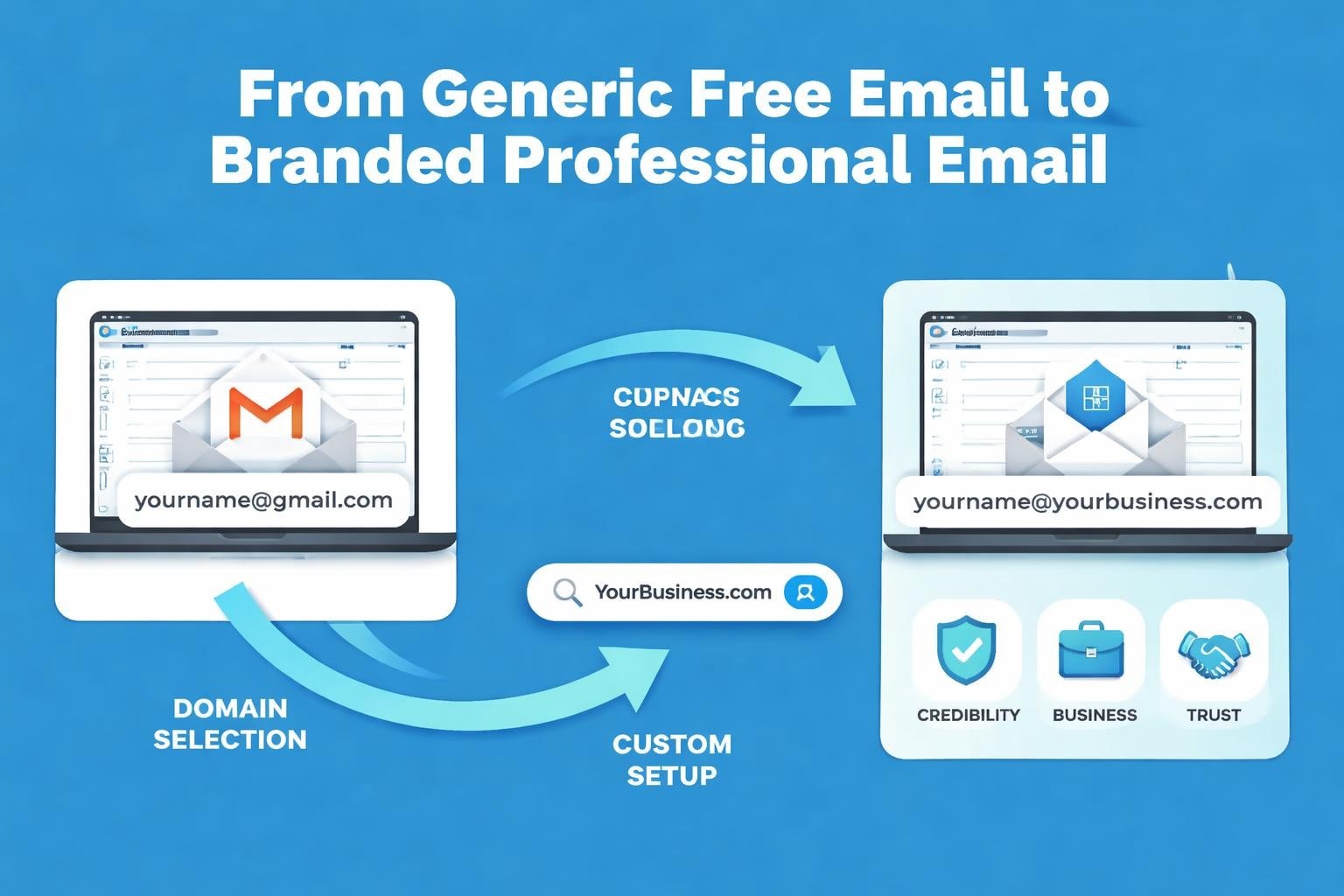
Your email address is often the first impression you make in the digital business world. When potential customers, partners, or investors see a generic Gmail or Hotmail address, it immediately signals amateur status. For small businesses competing in 2026's crowded marketplace, the decision to create professional email address using your own domain can be the difference between being taken seriously or being ignored completely.
Why Your Business Email Address Matters
Professional credibility starts with how you present yourself online. A custom email address demonstrates that you've invested in your business infrastructure and take your operations seriously. When you create professional email address with your domain name, you're building brand recognition with every message sent.
Research consistently shows that consumers trust businesses with custom email domains significantly more than those using free email services. This trust factor directly impacts conversion rates and customer retention.
The Hidden Costs of Free Email Addresses
Using free email providers for business communication carries several disadvantages:
- Limited branding opportunities that fail to reinforce your company identity
- Reduced deliverability rates due to shared IP reputations
- Security vulnerabilities from basic protection features
- Unprofessional perception among B2B clients and partners
- Lack of control over your communication infrastructure
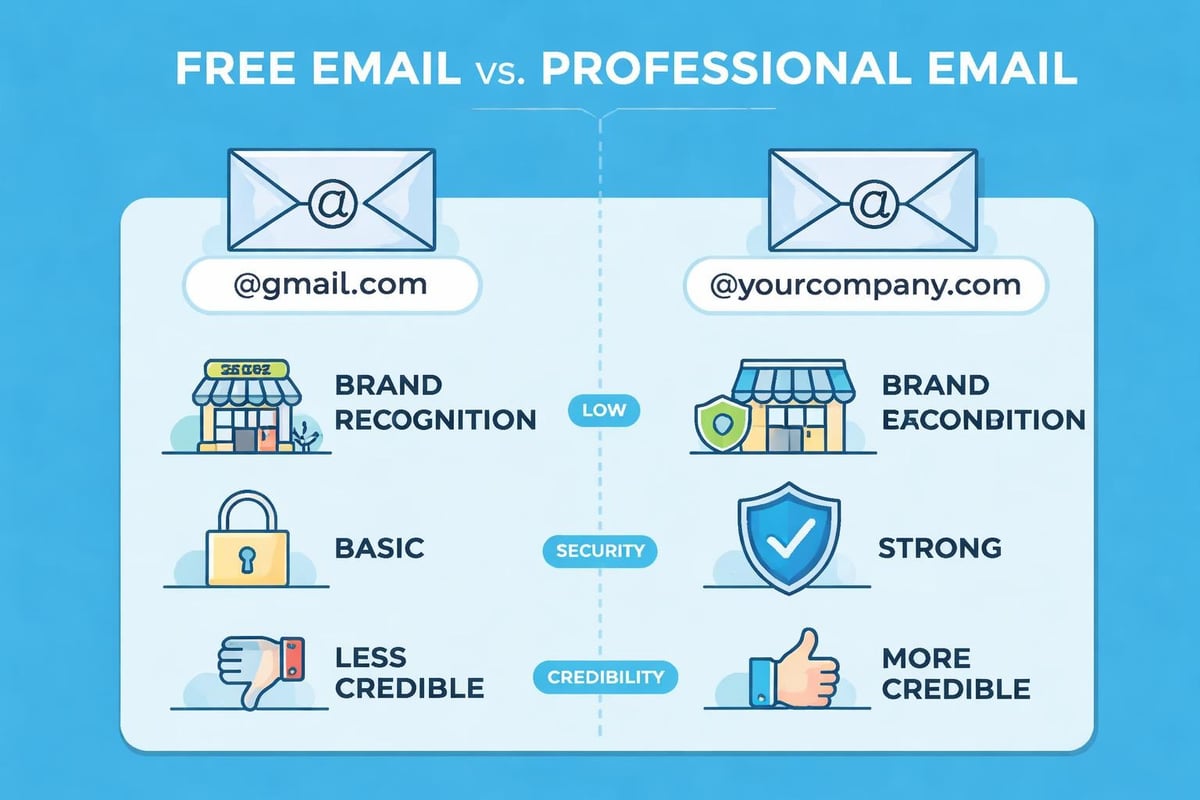
Consider this comparison:
| Free Email | Professional Email |
|---|---|
| john.smith123@gmail.com | john@astonishemail.com |
| Limited storage | Scalable storage options |
| Generic branding | Consistent brand identity |
| Basic security | Advanced security features |
| No technical support | Priority business support |
The investment to create professional email address is minimal compared to the credibility gains.
Choosing the Right Domain for Your Email
Your domain name forms the foundation of your professional email identity. Before you create professional email address, you need to secure the right domain that represents your business effectively.
Domain selection criteria should include:
- Relevance to your business name or primary service offering
- Simplicity and memorability for easy recall by clients
- Appropriate extension (.com, .co.uk, or industry-specific)
- Availability across platforms for consistent branding
- Future scalability as your business grows
Short domains work best for email addresses. A concise format like firstname@yourbusiness.com is easier to communicate verbally and less prone to typos than lengthy alternatives.
Domain Extensions That Build Trust
Whilst .com remains the gold standard for international businesses, UK-based companies often benefit from .co.uk extensions that signal local presence. Industry-specific extensions like .tech or .agency can work for niche markets, but traditional extensions generally inspire more confidence.
When you establish your business email presence, the extension choice should align with your primary market geography and customer expectations.
Professional Email Address Formats That Work
The structure of your email address communicates professionalism just as much as having a custom domain. When you create professional email address, following established formatting best practices ensures clarity and consistency.
Standard Email Format Options
| Format Type | Example | Best For |
|---|---|---|
| First name | sarah@company.com | Small teams, personal brands |
| First.Last | john.smith@company.com | Medium to large organisations |
| First initial + Last | jsmith@company.com | Companies with common names |
| Department | sales@company.com | Functional teams |
| Role-based | support@company.com | Customer service functions |
Personal email addresses should avoid numbers, underscores, and excessive punctuation. According to Shopify's email address guidelines, simplicity ensures your address is memorable and easy to share.
Departmental addresses serve specific purposes:
- info@ for general enquiries
- sales@ for commercial communications
- support@ for customer service
- hello@ for friendly, approachable brands
- team@ for collaborative departments
Setting Up Your Professional Email System
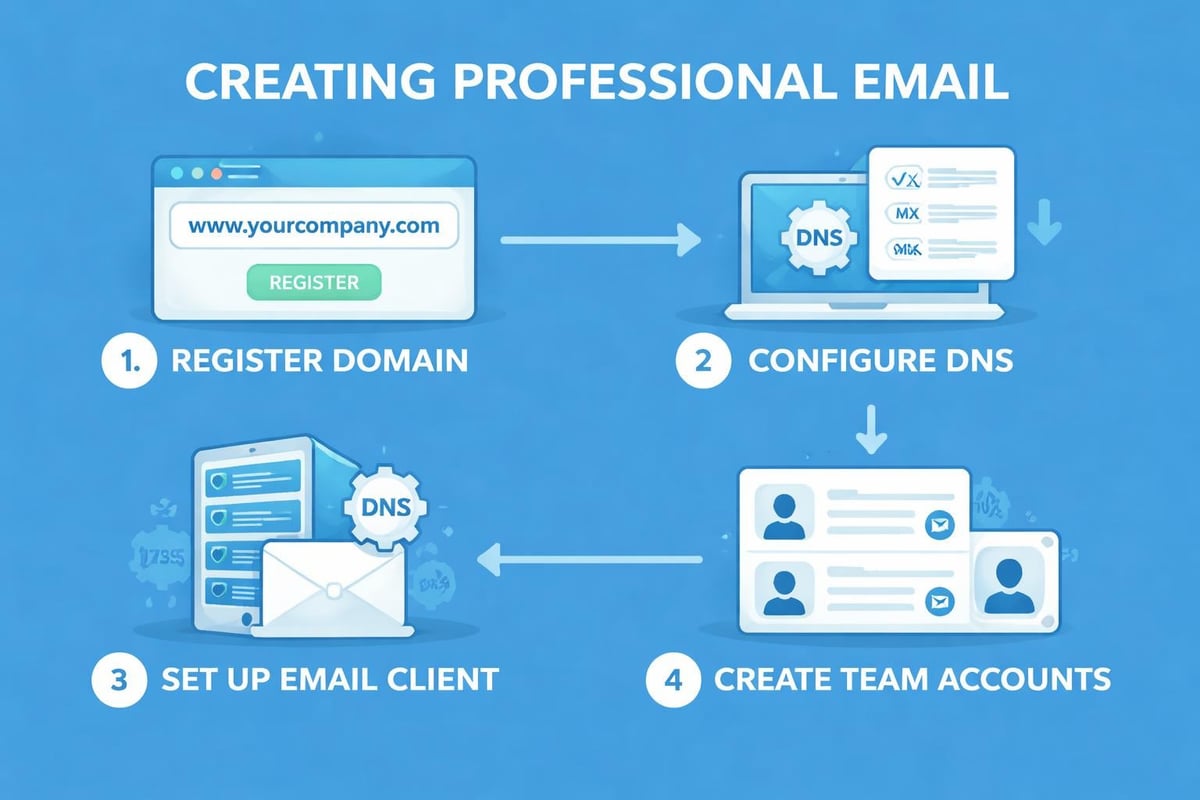
The technical process to create professional email address involves several key decisions about hosting, platforms, and integration with existing tools.
Email Hosting Options
Three primary approaches exist for professional email:
Self-hosted solutions provide maximum control but require technical expertise and infrastructure management. Small businesses rarely find this option cost-effective in 2026.
Workspace platforms like Google Workspace bundle email with productivity tools, calendar systems, and cloud storage. These comprehensive solutions work well for teams needing integrated collaboration features.
Dedicated email providers focus specifically on email functionality with robust deliverability and security features. This approach suits businesses prioritising email marketing alongside standard communication.
DNS Configuration Essentials
Once you've selected your hosting provider, DNS records need proper configuration. The main records when you create professional email address include:
- MX records that direct email to your hosting servers
- SPF records that authenticate your sending domain
- DKIM signatures that verify message integrity
- DMARC policies that protect against spoofing
- TXT records for additional verification requirements
Most hosting providers offer automated setup wizards that configure these records, but understanding their purpose helps troubleshoot deliverability issues.
Email Security and Authentication
Professional email addresses require robust security measures to protect both your business and your contacts. When you create professional email address in 2026, security isn't optional.
Essential Security Features
Modern email systems should include:
- Two-factor authentication for account access
- Encryption protocols for data transmission
- Spam filtering to block malicious content
- Virus scanning of all attachments
- Backup systems for disaster recovery
Email authentication protocols prevent spoofing and improve deliverability. SPF, DKIM, and DMARC work together to verify that emails genuinely originate from your domain. Without these configurations, your messages may land in spam folders or be rejected entirely.
Data Protection Compliance
UK businesses must consider GDPR requirements when handling email communications. Your email system should support:
- Data retention policies aligned with regulatory requirements
- Secure deletion of outdated communications
- Access controls limiting who can view sensitive messages
- Audit trails documenting email system usage
- Export capabilities for subject access requests
Understanding your email client options helps ensure compatibility with your security requirements and workflow preferences.
Building Your Email Signature
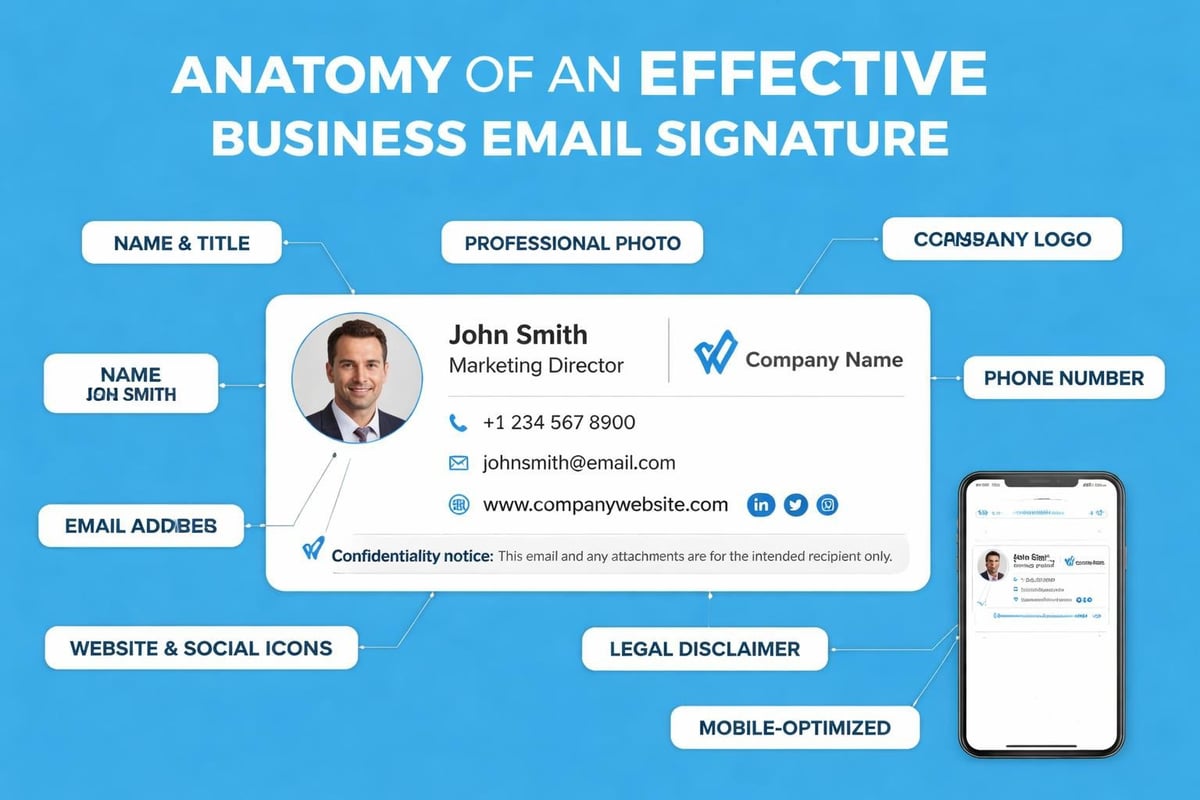
A professional email signature completes your business communication setup. After you create professional email address, developing a consistent signature template ensures every message reinforces your brand.
Standard signature elements include:
| Component | Purpose | Example |
|---|---|---|
| Full name | Personal identification | Sarah Mitchell |
| Job title | Role clarification | Marketing Director |
| Company name | Brand reinforcement | Astonish Email |
| Phone number | Alternative contact | +44 20 1234 5678 |
| Website link | Traffic generation | astonishemail.com |
| Social media | Engagement channels | LinkedIn icon/link |
Keep signatures concise. Excessive graphics, multiple images, or lengthy disclaimers create bulky messages that render poorly on mobile devices.
Signature Best Practices
Legal disclaimers serve legitimate purposes but should appear at the bottom in smaller text. Promotional banners work for specific campaigns but shouldn't become permanent fixtures that dilute your professional image.
Consistency across your organisation strengthens brand recognition. When you create professional email address for team members, provide standardised signature templates that maintain visual coherence whilst allowing personalisation of contact details.
Email Management Strategies
Successfully managing a professional email address requires systems and habits that prevent inbox overwhelm whilst ensuring responsive communication.
Folder and Label Organisation
Structure your inbox around your workflow:
- Client-based folders for project-specific communications
- Priority labels for urgent matters requiring immediate attention
- Archive systems for completed projects and reference materials
- Template folders for frequently used responses
- Follow-up tags for messages awaiting responses
Automated filtering rules direct incoming messages to appropriate folders, reducing manual sorting time and ensuring nothing falls through cracks.
Response Time Expectations
Professional email management includes setting and communicating response timeframes. Small businesses often compete on customer service, making timely replies a competitive advantage.
Consider implementing:
- Auto-responders for out-of-office periods
- Acknowledgement messages for support enquiries
- Escalation procedures for time-sensitive requests
- Team coverage during holidays and peak periods
- Service level agreements for different enquiry types
When you send out emails representing your business, consistency and reliability build trust that translates to customer loyalty.
Scaling Email as Your Business Grows
Your email infrastructure should grow with your business. What works for a solo entrepreneur differs from the needs of a ten-person team or a fifty-person organisation.
Adding Team Members
As you hire staff, create professional email address for each team member following your established naming conventions. Consistent formats prevent confusion and maintain professional standards.
Role-based addresses supplement individual accounts:
- Create shared inboxes for departments
- Establish distribution lists for teams
- Set up aliases for common misspellings
- Implement email groups for projects
- Configure forwarding rules for coverage
Email Marketing Integration
Small businesses using professional email addresses benefit from email marketing platforms that integrate with their domains. Sending marketing campaigns from your business domain reinforces brand identity and improves deliverability compared to platform-default addresses.
Authentication becomes particularly important for marketing emails. Proper SPF, DKIM, and DMARC configuration ensures your campaigns reach inboxes rather than spam folders. When you create professional email address specifically for marketing, consider dedicated sending domains that protect your primary communication domain's reputation.
Common Mistakes to Avoid
Even experienced businesses make errors when setting up professional email systems. Learning from common pitfalls saves time and protects your professional reputation.
Formatting Errors
GMass identifies problematic email formats that undermine professionalism:
- Including birth years like sarah1985@business.com
- Adding random numbers that serve no purpose
- Using nicknames instead of professional names
- Creating overly long addresses that are difficult to communicate
- Mixing personal and business with unprofessional usernames
Your email address appears on business cards, websites, email signatures, and marketing materials. Choose a format you'll be comfortable using for years.
Technical Configuration Oversights
Common technical mistakes include:
- Neglecting backup email addresses for account recovery
- Skipping authentication setup leading to deliverability issues
- Ignoring mobile access despite on-the-go communication needs
- Overlooking spam filter training resulting in missed messages
- Failing to test before distributing new addresses widely
When you create professional email address, thorough testing prevents embarrassing situations where colleagues or customers can't reach you.
Mobile Email Access
Professional email management in 2026 demands seamless mobile access. Most business communications now occur on smartphones and tablets, making mobile configuration essential.
Mobile App Selection
Native email apps offer basic functionality, but dedicated applications provide enhanced features:
| Feature | Native Apps | Professional Apps |
|---|---|---|
| Push notifications | Limited | Customisable |
| Unified inbox | Sometimes | Standard |
| Swipe actions | Basic | Extensive |
| Snooze options | Rarely | Common |
| Template responses | No | Yes |
Configure mobile devices soon after you create professional email address to ensure you never miss important communications whilst away from your desk.
Security on Mobile Devices
Mobile email access introduces security considerations:
- Device encryption protecting stored messages
- Remote wipe capabilities for lost or stolen phones
- Biometric authentication adding security layers
- VPN usage when accessing email on public networks
- Automatic logout after periods of inactivity
Your professional email likely contains sensitive business information and customer data. Mobile security measures protect both your interests and your clients' privacy.
Monitoring Email Performance
Professional email systems require ongoing monitoring to ensure optimal performance. Tracking key metrics helps identify and resolve issues before they impact business communications.
Deliverability Metrics
Monitor these indicators of email health:
- Delivery rates showing successful message transmission
- Bounce rates indicating address or server problems
- Response times measuring your team's responsiveness
- Spam complaints flagging potential content issues
- Authentication failures requiring DNS configuration review
When you create professional email address for email marketing purposes, deliverability metrics become even more critical as they directly impact campaign ROI.
Regular Maintenance Tasks
Professional email addresses require periodic maintenance:
- Archive old messages to maintain system performance
- Update contact lists removing outdated addresses
- Review filtering rules ensuring they still serve their purpose
- Audit user accounts removing departed team members
- Test backup systems verifying recovery procedures work
Quarterly reviews of your email infrastructure catch emerging issues before they become serious problems.
Cost Considerations for Professional Email
Understanding the investment required helps you create professional email address within budget whilst meeting your business needs.
Pricing Models
Email hosting services typically offer several pricing structures:
Per-user pricing charges monthly fees for each email account. This model scales with team size and works well for growing businesses. Expect costs between £4-£12 per user monthly depending on features and storage allocations.
Flat-rate packages provide unlimited addresses for fixed monthly costs. These suit businesses with many low-volume users or frequent turnover.
Tiered plans offer different feature sets at various price points. Comparing pricing options helps identify the right balance between functionality and affordability.
Hidden Costs to Consider
Beyond monthly fees, budget for:
- Domain registration annual renewal costs
- Additional storage as email volumes grow
- Advanced security features beyond basic plans
- Technical support for complex configuration needs
- Migration services when switching providers
Calculate total cost of ownership over 12-24 months when comparing options. The cheapest initial price often proves more expensive long-term if limitations force platform changes.
Making the Switch from Free Email
Transitioning from free email services to professional addresses requires planning to avoid disrupting ongoing communications and losing important messages.
Migration Strategy
Successful transitions follow these steps:
- Create professional email address and configure fully before announcing
- Set up forwarding from old address to new during transition period
- Update contact information across all business platforms and materials
- Notify key contacts personally of your new address
- Monitor both accounts for several months during changeover
- Archive old messages before eventually closing free account
When you make the transition, gradual changeover prevents missing important communications whilst establishing your new professional identity.
Communication Best Practices
Announce your new professional email address through:
- Email signature updates in all outgoing messages
- Auto-reply notifications from your old address
- Website updates reflecting new contact information
- Business card reprints with current details
- Social media announcements across your platforms
- Customer communications explaining the change benefits
Frame the transition positively, emphasising your commitment to professional service and improved communication capabilities rather than apologising for inconvenience.
Establishing a professional email address represents a fundamental step in building business credibility and trust with your audience. The investment in custom domain email pays dividends through enhanced brand recognition, improved deliverability, and stronger customer relationships. Whether you're a solo entrepreneur or managing a growing team, Astonish Email provides the email marketing tools small businesses need to communicate professionally and grow effectively. Start building your professional email presence today and experience the difference custom branding makes in every customer interaction.