How to Create Professional Email: Complete 2026 Guide
March 30, 2026
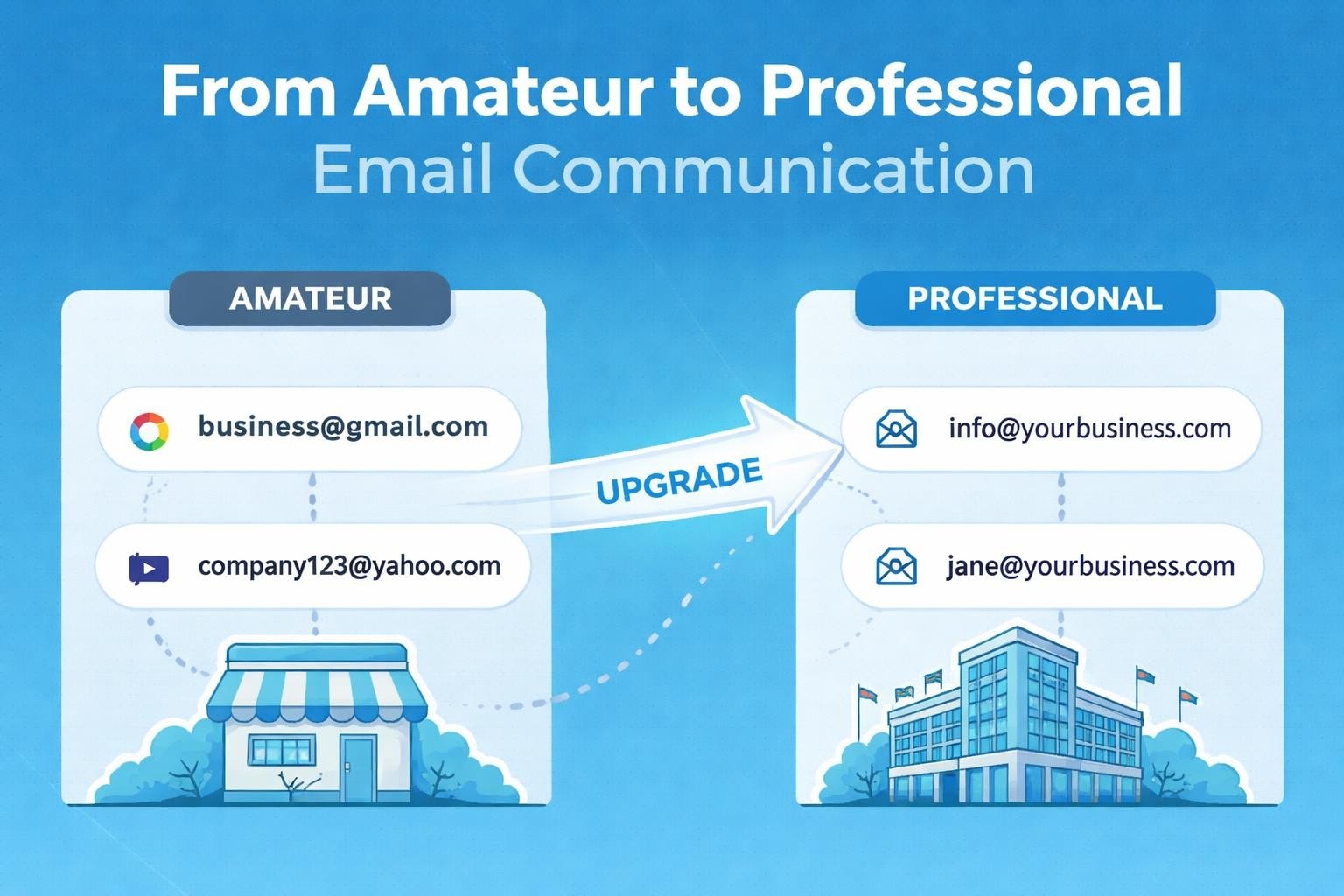
Email remains the cornerstone of business communication in 2026, yet many small businesses still struggle with creating professional email correspondence that builds trust and drives results. Whether you're launching your first venture or refining your communication strategy, understanding how to create professional email addresses and compose compelling messages is essential for success. This comprehensive guide walks you through everything you need to know about establishing a professional email presence that reflects your brand's credibility and engages your audience effectively.
Understanding Professional Email Fundamentals
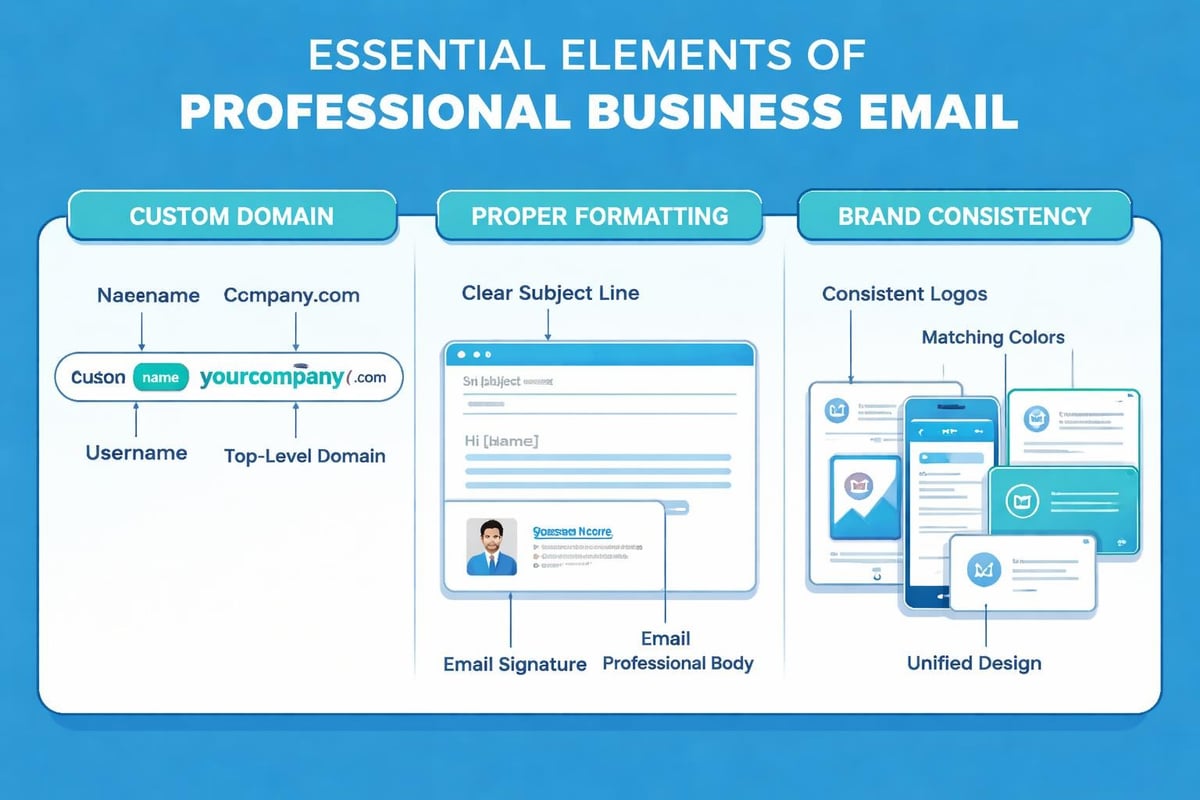
A professional email encompasses two critical elements: the address itself and the content you send. Both components work together to shape how recipients perceive your business. Professional email addresses use custom domains rather than free services, immediately signalling legitimacy and commitment to your enterprise.
The distinction between personal and business email has never been more important. Generic addresses like yourname@gmail.com might suffice for personal correspondence, but they undermine your business credibility. When you create professional email systems with branded domains, you demonstrate professionalism before recipients even open your message.
Why Email Professionalism Matters for Small Businesses
Small businesses compete with larger enterprises daily for customer attention and trust. Your email address serves as a digital business card, appearing in every message, proposal, and customer interaction. Research consistently shows that customers are significantly more likely to engage with emails from branded addresses compared to free email services.
Consider these measurable benefits:
- Enhanced credibility: Custom domain addresses increase open rates by up to 35%
- Brand reinforcement: Every email strengthens your brand identity
- Security advantages: Business email providers offer superior spam filtering and protection
- Professional infrastructure: Access to advanced features like team collaboration and automated responses
When exploring how to set up a business email, small businesses gain immediate competitive advantages that translate directly to improved customer relationships and increased revenue.
Choosing Your Professional Email Address Format
The structure of your email address requires careful consideration. Your choice impacts memorability, professionalism, and search engine visibility. Most successful businesses follow established conventions whilst maintaining uniqueness.
Standard Email Address Structures
Different formats serve various business purposes:
| Format Type | Example | Best Use Case |
|---|---|---|
| Personal | john.smith@yourbusiness.com | Individual entrepreneurs, consultants |
| Departmental | sales@yourbusiness.com | Team collaboration, shared inboxes |
| Functional | info@yourbusiness.com | General enquiries, customer service |
| Role-based | support@yourbusiness.com | Specific business functions |
Personal email formats work brilliantly for small businesses where individual relationships matter. Sarah Williams might use sarah@astonishdesign.com rather than info@astonishdesign.com to maintain personal connections with clients.
Departmental addresses support growing teams. When you create professional email addresses for different functions, you establish clear communication channels and ensure messages reach appropriate team members efficiently.
Avoiding Common Email Address Mistakes
Several pitfalls plague small businesses when selecting email addresses:
- Numbers and special characters: These appear unprofessional and create confusion
- Overly complex usernames: If customers struggle to remember your address, they won't contact you
- Generic terms only: Addresses like webmaster@ or admin@ lack personality for small businesses
- Inconsistent formatting: Mixing styles across your team creates brand confusion
The importance of selecting the right email format extends beyond aesthetics-it directly impacts customer engagement and communication effectiveness.
Setting Up Your Custom Email Domain
Domain-based email addresses require owning a domain name and connecting it to an email service provider. This process has simplified dramatically, making professional email accessible for businesses of all sizes.
Domain Selection Strategy
Your domain choice forms the foundation of your email strategy. Most businesses use their primary website domain for email addresses, creating seamless brand integration. When purchasing domains, prioritise:
- Brevity: Shorter domains are easier to type and remember
- Clarity: Avoid creative spelling that causes confusion
- Extension appropriateness: .com remains most recognisable, whilst .co.uk suits UK-focused businesses
- Future-proofing: Consider potential business expansion
Once secured, your domain becomes the backbone for all professional communications. Understanding the characteristics of professional addresses helps ensure your domain choice supports long-term business objectives.
Email Hosting Options Comparison
Small businesses can choose between several hosting approaches:
Professional Email Service Providers offer dedicated email solutions with marketing capabilities, analytics, and automation. These platforms provide comprehensive tools specifically designed for business communication needs.
Web Hosting Bundled Email includes basic email with website hosting packages. Whilst convenient, these solutions often lack advanced features critical for growing businesses.
Google Workspace and Microsoft 365 deliver enterprise-grade email infrastructure with collaboration tools. These platforms suit businesses requiring extensive integration capabilities.
For small businesses prioritising email marketing alongside professional communication, choosing the right email clients impacts campaign success and customer engagement.
Crafting Professional Email Content
Creating the perfect email address represents only half the equation. The messages you send must match the professionalism your address projects. Effective business emails follow proven structures that respect recipients' time whilst achieving communication objectives.
Essential Email Structure Components
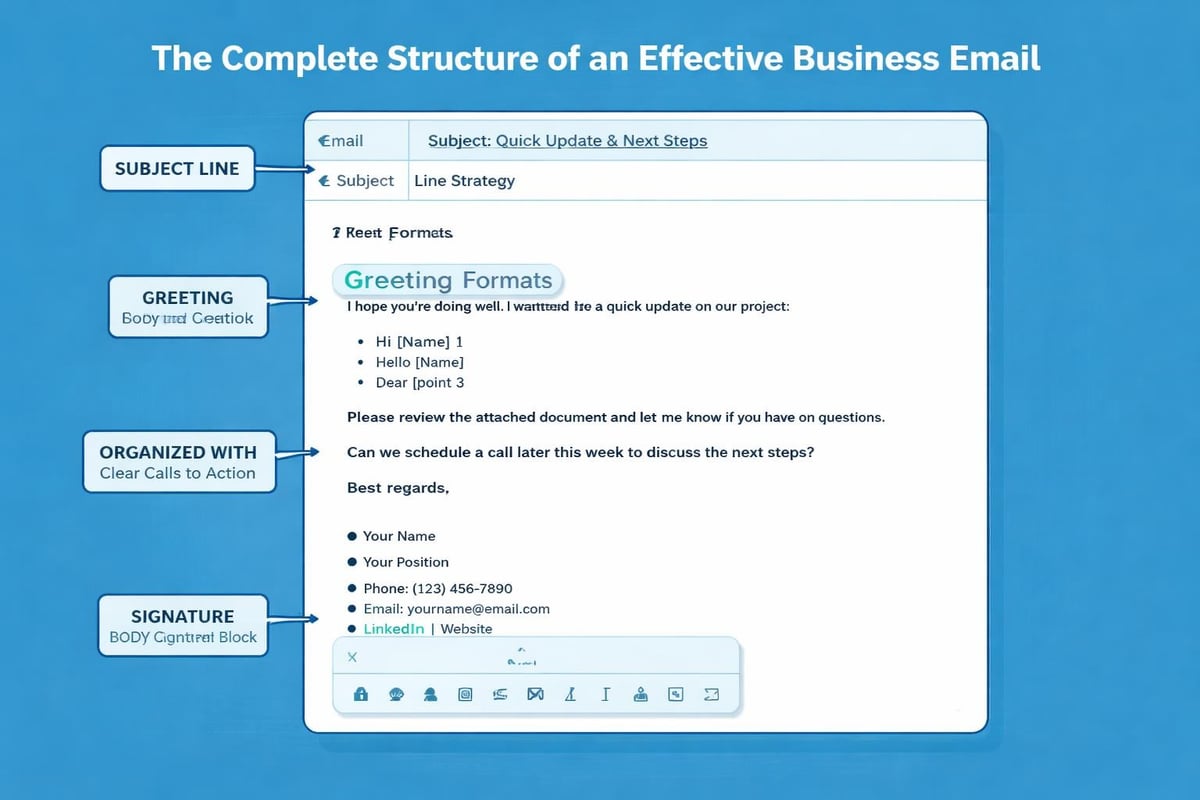
Every professional email should contain these elements:
Subject lines determine whether recipients open your message. Effective subject lines are specific, concise, and relevant. Avoid generic phrases like "Following up" in favour of descriptive alternatives such as "Proposal for March Marketing Campaign."
Greetings set the tone immediately. Research recipient preferences when possible-some industries favour formal "Dear Mr Smith," whilst others accept "Hi John." When uncertain, err towards formality.
Body content delivers your message efficiently:
- Open with purpose clearly stated
- Use short paragraphs for readability
- Bullet points improve information retention
- Bold text emphasises critical details
- Maintain consistent formatting throughout
Signatures provide essential contact information and reinforce professionalism. Include your full name, position, company name, phone number, and website link. Many businesses add social media links or promotional banners, though simplicity often proves more effective.
Tone and Language Considerations
Professional doesn't mean robotic. Your emails should reflect authentic personality whilst maintaining appropriate boundaries. Consider your audience and industry norms when determining tone.
The art of writing professional emails balances warmth with formality, ensuring recipients feel valued without compromising professional standards. Small businesses particularly benefit from slightly warmer tones that differentiate them from corporate competitors.
Active voice creates more engaging content than passive constructions. "We'll deliver your order on Thursday" resonates more strongly than "Your order will be delivered on Thursday."
Optimising Email Deliverability and Performance
Even perfectly crafted emails fail if they never reach recipient inboxes. Technical factors significantly influence email deliverability, requiring attention to authentication protocols and sending practices.
Technical Setup Requirements
Professional email systems require proper configuration to avoid spam filters:
| Protocol | Purpose | Impact |
|---|---|---|
| SPF | Validates sending servers | Prevents spoofing |
| DKIM | Adds digital signatures | Confirms authenticity |
| DMARC | Enforces authentication policies | Improves deliverability |
These technical elements work invisibly behind your emails, but their absence triggers spam filters and damages sender reputation. When you create professional email infrastructure with proper business email accounts, these protocols are typically configured automatically.
Maintaining Sender Reputation
Your sending reputation influences whether emails reach inboxes or spam folders. Several factors determine this reputation:
- Bounce rates: Clean your email lists regularly to remove invalid addresses
- Complaint rates: Monitor unsubscribe requests and honour them immediately
- Engagement metrics: Higher open and click rates signal valuable content
- Sending consistency: Irregular sending patterns trigger suspicion
Small businesses often benefit from starting with smaller email volumes and gradually increasing as reputation builds. Sudden spikes in sending trigger provider alerts and deliverability issues.
Personalisation and Segmentation Strategies
Generic mass emails rarely deliver results in 2026. Recipients expect personalised content that addresses their specific needs and interests. Effective personalisation extends beyond inserting first names into templates.
Audience Segmentation Approaches
Dividing your email list into targeted segments dramatically improves campaign performance. Consider segmenting by:
- Purchase history: Different messages for new customers versus repeat buyers
- Engagement level: Re-engagement campaigns for inactive subscribers
- Demographics: Location, industry, company size when relevant
- Behaviour patterns: Content preferences, browsing history, download activity
When planning to get professional email addresses for your business, select platforms that support robust segmentation capabilities. These features transform generic broadcasts into targeted conversations.
Dynamic Content Implementation
Advanced email systems enable dynamic content that changes based on recipient characteristics. The same email template displays different products, offers, or messaging depending on segment membership.
This approach allows you to create professional email campaigns efficiently whilst maintaining personalisation that resonates with diverse audience segments. Small businesses competing against larger competitors gain particular advantages through personalised communication that larger organisations struggle to replicate at scale.
Email Automation and Workflow Integration
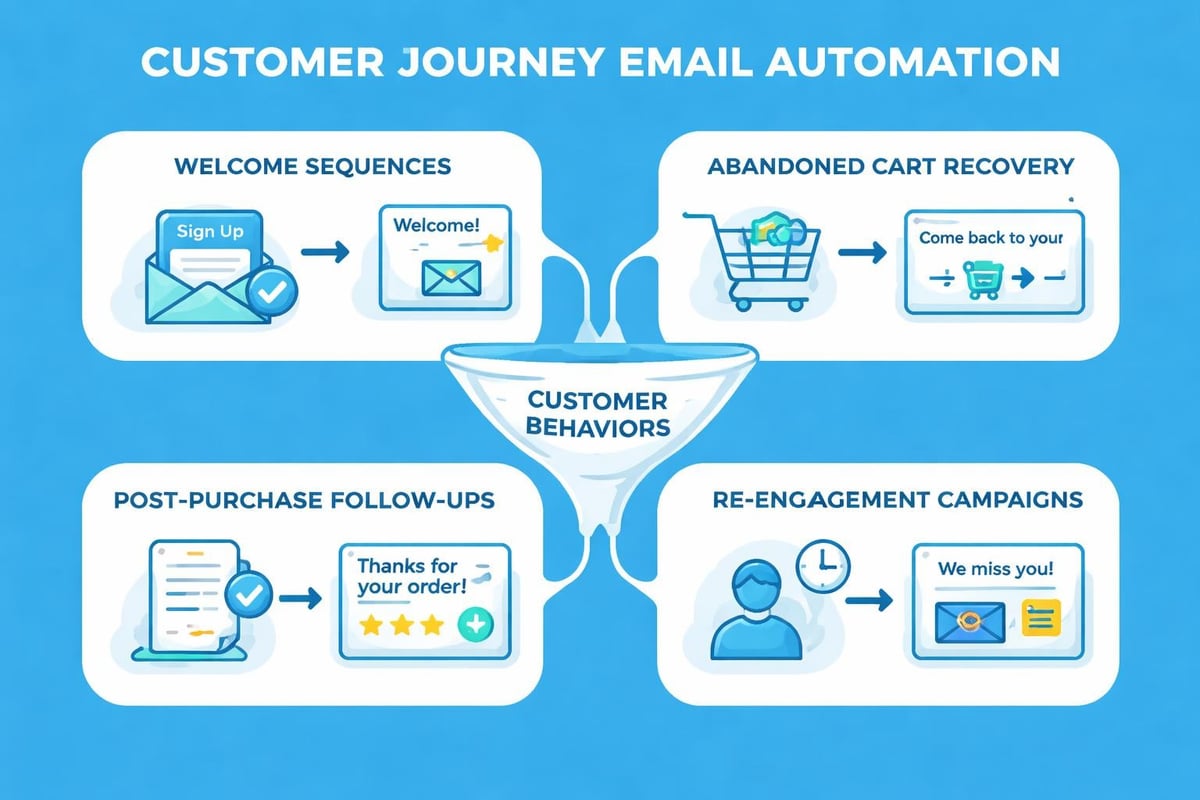
Manual email management becomes unsustainable as businesses grow. Automation streamlines repetitive tasks whilst ensuring consistent, timely communication with customers and prospects.
Welcome Email Series Design
New subscriber welcome sequences represent your first opportunity to make lasting impressions. Effective welcome series typically include:
- Immediate confirmation: Sent within minutes of sign-up, confirming subscription and setting expectations
- Value delivery: Provided within 24 hours, offering promised resources or introducing key benefits
- Engagement encouragement: Sent after 3-5 days, inviting interaction or feedback
- Product introduction: Delivered after one week, showcasing relevant offerings
These automated sequences create professional email experiences that nurture relationships without requiring constant manual effort. The benefits of systematic email approaches compound over time as automated workflows handle routine communications whilst you focus on strategy and growth.
Transactional Email Excellence
Transactional emails-order confirmations, shipping notifications, password resets-achieve exceptionally high open rates because recipients expect and need them. Unfortunately, many businesses squander these engagement opportunities with purely functional messages.
Enhance transactional emails by:
- Adding personality to standard templates
- Including relevant cross-sell suggestions
- Providing helpful resources related to the transaction
- Reinforcing brand voice throughout
Mobile Optimisation Requirements
Over 65% of emails are now opened on mobile devices, making mobile optimisation non-negotiable for professional email communication. Messages that display poorly on smartphones frustrate recipients and damage your professional image.
Responsive Design Principles
Mobile-friendly emails adapt to various screen sizes whilst maintaining readability and functionality:
Single-column layouts work best for mobile devices, eliminating complex multi-column designs that break on small screens.
Large, tappable buttons ensure links and calls-to-action remain accessible on touchscreens. Minimum recommended button size is 44x44 pixels.
Concise subject lines display fully on mobile notification screens, typically 40 characters or fewer depending on device.
Optimised images load quickly on cellular connections whilst displaying clearly on high-resolution smartphone screens.
Testing emails across multiple devices before sending prevents embarrassing formatting failures. When you create professional email campaigns, mobile preview tools help identify issues before they reach customer inboxes.
Loading Speed Considerations
Mobile users expect instant gratification. Emails that load slowly get deleted before recipients see your message. Optimise loading speeds by:
- Compressing images without sacrificing quality
- Minimising code bloat in email templates
- Hosting images on reliable, fast servers
- Avoiding large file attachments when possible
Compliance and Legal Requirements
Professional email communication must comply with various regulations protecting recipient privacy and consent. Non-compliance risks significant penalties and reputation damage.
GDPR and Privacy Regulations
The General Data Protection Regulation affects any business emailing European Union residents, regardless of business location. Key requirements include:
| Requirement | Implementation |
|---|---|
| Explicit consent | Double opt-in confirmation processes |
| Clear purpose | Transparent communication about email use |
| Easy unsubscribe | One-click unsubscribe in every message |
| Data protection | Secure storage of subscriber information |
When you explore professional email address options, verify that providers support compliance features like consent documentation and automated preference management.
CAN-SPAM Compliance
The CAN-SPAM Act governs commercial email in the United States. Requirements include accurate header information, clear identification as advertisements when applicable, and honour of opt-out requests within ten business days.
Professional email systems should automate compliance wherever possible, removing human error from critical legal requirements. Small businesses face identical legal obligations as major corporations, making compliant infrastructure essential from day one.
Analytics and Performance Measurement
Data-driven email strategies outperform intuition-based approaches. Professional email platforms provide detailed analytics revealing what resonates with your audience and what needs improvement.
Key Performance Indicators
Monitor these metrics to evaluate email effectiveness:
- Open rate: Percentage of recipients opening your emails (industry averages vary 15-25%)
- Click-through rate: Proportion of recipients clicking links within emails
- Conversion rate: Percentage completing desired actions after clicking
- Unsubscribe rate: Indicates content relevance and sending frequency appropriateness
- Bounce rate: Reveals list quality and technical delivery issues
Tracking these metrics over time reveals trends and opportunities. Sudden drops in open rates might indicate deliverability problems or subject line fatigue, whilst declining click rates suggest content relevance issues.
A/B Testing Strategies
Systematic testing eliminates guesswork from email optimisation. Test one variable at a time to isolate impact:
- Subject lines: Compare different lengths, tones, or inclusion of personalisation
- Send times: Test various days and hours to identify optimal sending windows
- Content formats: Evaluate text-heavy versus image-rich designs
- Call-to-action placement: Determine whether top, middle, or bottom positioning performs best
When implementing changes based on test results, consider statistical significance. Small sample sizes produce unreliable conclusions, whilst larger tests provide actionable insights for future campaigns.
Building Your Email Marketing Infrastructure
Creating sustainable email marketing success requires appropriate infrastructure supporting your communication goals. Small businesses need scalable solutions that grow alongside their needs without requiring constant platform migrations.
Platform Selection Criteria
Choosing the right email marketing platform involves evaluating several factors specific to small business requirements. Consider platforms offering:
Intuitive interfaces that don't require technical expertise for daily operations
Scalable pricing aligned with list growth rather than punishing expansion
Template libraries providing professional designs as starting points
Integration capabilities connecting with existing tools like CRM systems and e-commerce platforms
Support resources including documentation, tutorials, and responsive customer service
The appropriate business email solution balances features with usability, ensuring you can leverage advanced capabilities without overwhelming complexity.
List Growth Strategies
Your email list represents your most valuable marketing asset. Organic list growth through ethical means builds engaged audiences that drive business results:
- Website sign-up forms prominently displayed on high-traffic pages
- Content upgrades offering valuable resources in exchange for email addresses
- Social media promotion encouraging followers to subscribe for exclusive content
- In-person events collecting business cards and permission-based contact information
- Referral programmes incentivising current subscribers to recommend your emails
Purchased lists invariably underperform and often violate platform terms of service. Building audiences organically takes longer but produces infinitely better engagement and conversion rates.
Template Design Best Practices
Consistent, professional email templates reinforce brand identity whilst streamlining content creation. Well-designed templates balance creativity with functionality, ensuring messages display correctly across all email clients.
Brand Consistency Elements
Your email templates should reflect broader brand identity through:
Colour schemes matching your website and marketing materials create instant recognition
Typography choices using web-safe fonts ensure consistent display across platforms
Logo placement typically in header positions establishes immediate brand association
Imagery style maintaining consistent photography or illustration approaches
When designing templates to create professional email communications, remember that consistency builds trust. Recipients should immediately recognise your emails without reading sender names.
Accessibility Considerations
Professional emails accommodate recipients with various abilities and assistive technologies:
- Alt text for all images describes content for screen reader users
- Sufficient colour contrast ensures text remains readable for visually impaired recipients
- Logical heading structure helps screen readers navigate content effectively
- Plain text alternatives provide fallbacks when HTML rendering fails
Accessible design benefits all recipients, not just those with disabilities. Clear hierarchies and descriptive text improve comprehension universally.
Managing Multiple Email Accounts
Growing businesses often require multiple email addresses for different purposes. Effective management prevents confusion whilst ensuring timely responses across all communication channels.
Centralised Inbox Strategies
Rather than checking multiple accounts separately, centralise management through:
- Unified inbox solutions aggregating messages from multiple addresses
- Email forwarding routing messages to primary accounts whilst preserving professional sender addresses
- Team collaboration features assigning conversations to appropriate personnel
- Mobile synchronisation ensuring access across devices
This approach allows you to create professional email addresses for various functions-sales, support, general enquiries-whilst managing everything efficiently from centralised dashboards.
Response Time Expectations
Professional email communication includes timely responses. Research indicates customers expect replies within 24 hours for general enquiries and even faster for urgent matters. Establish clear response protocols:
Automated acknowledgements confirm receipt immediately, buying time for detailed responses
Service level agreements set explicit expectations for different enquiry types
Out-of-office messages inform senders of delays during holidays or non-business hours
Priority systems ensure urgent messages receive immediate attention
Professional email communication forms the foundation of modern business success, requiring attention to both technical setup and content quality. From selecting the perfect email address format to crafting compelling messages that engage recipients, every element contributes to your business credibility and effectiveness. Small businesses gain particular advantages through personalised, authentic communication that larger competitors struggle to replicate. Whether you're establishing your first business email or refining existing strategies, platforms like Astonish Email provide the tools and infrastructure small businesses need to compete effectively through email marketing that drives measurable results.